Professional Sound Editing Software
Record, restore and master audio on Windows. Repair Studio, spectral editing and a multitrack mixer, with free editing and WAV export.
- Repair Studio
- Spectrogram
- Multitrack
- 192 kHz · 64-bit float
- Batch conversion
Free to edit and save WAV · Windows 11 & 10 (64-bit)
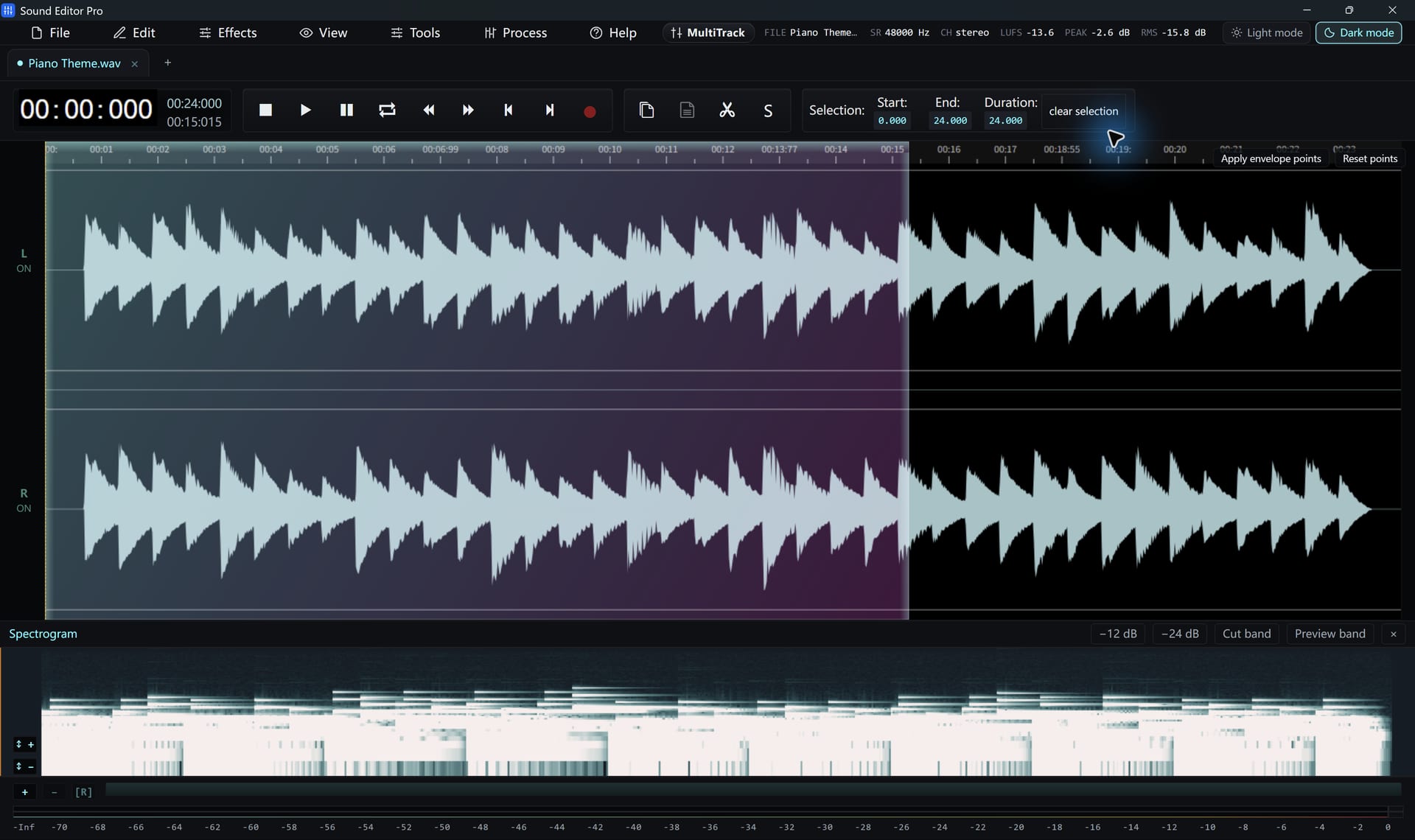
From Raw Take To Finished Master
One application covers the whole job, so nothing gets lost between tools.
Capture
Mic, line-in, turntable or system sound
Restore
Clicks, hum, noise and clipping
Shape
EQ, dynamics, loudness and mix
Deliver
WAV free, every other format when registered
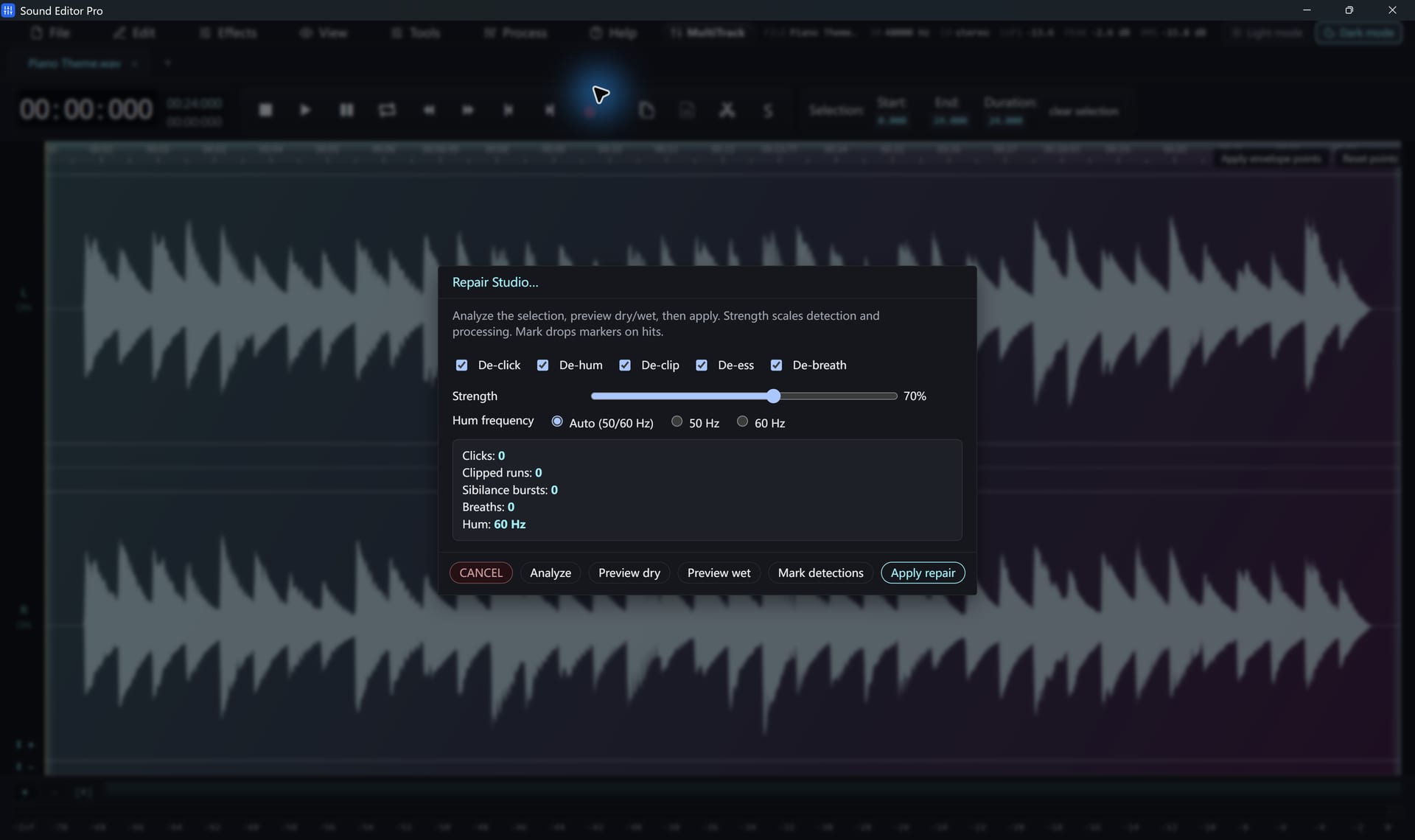
Repair Studio Finds The Problems For You
Analyze a recording and Repair Studio marks clicks, hum, clipped peaks, harsh sibilance and breaths. Enable the modules you need, compare dry and wet, then commit.
- De-click, De-hum, De-clip, De-ess, De-breath
- Automatic detection with marked problem spots
- Dry/wet comparison before you apply
- RNNoise-based voice noise reduction
See The Noise. Select It. Remove It.
Some problems are invisible on a waveform. In the spectrogram a cough, a phone ring or a squeak stands out by frequency. Draw a box around it and attenuate it by 12 or 24 dB, or cut it out.
- Box selection in time and frequency
- Attenuate −12 dB, −24 dB or cut
- Spectrum and frequency analysis
- Tempo and BPM detection
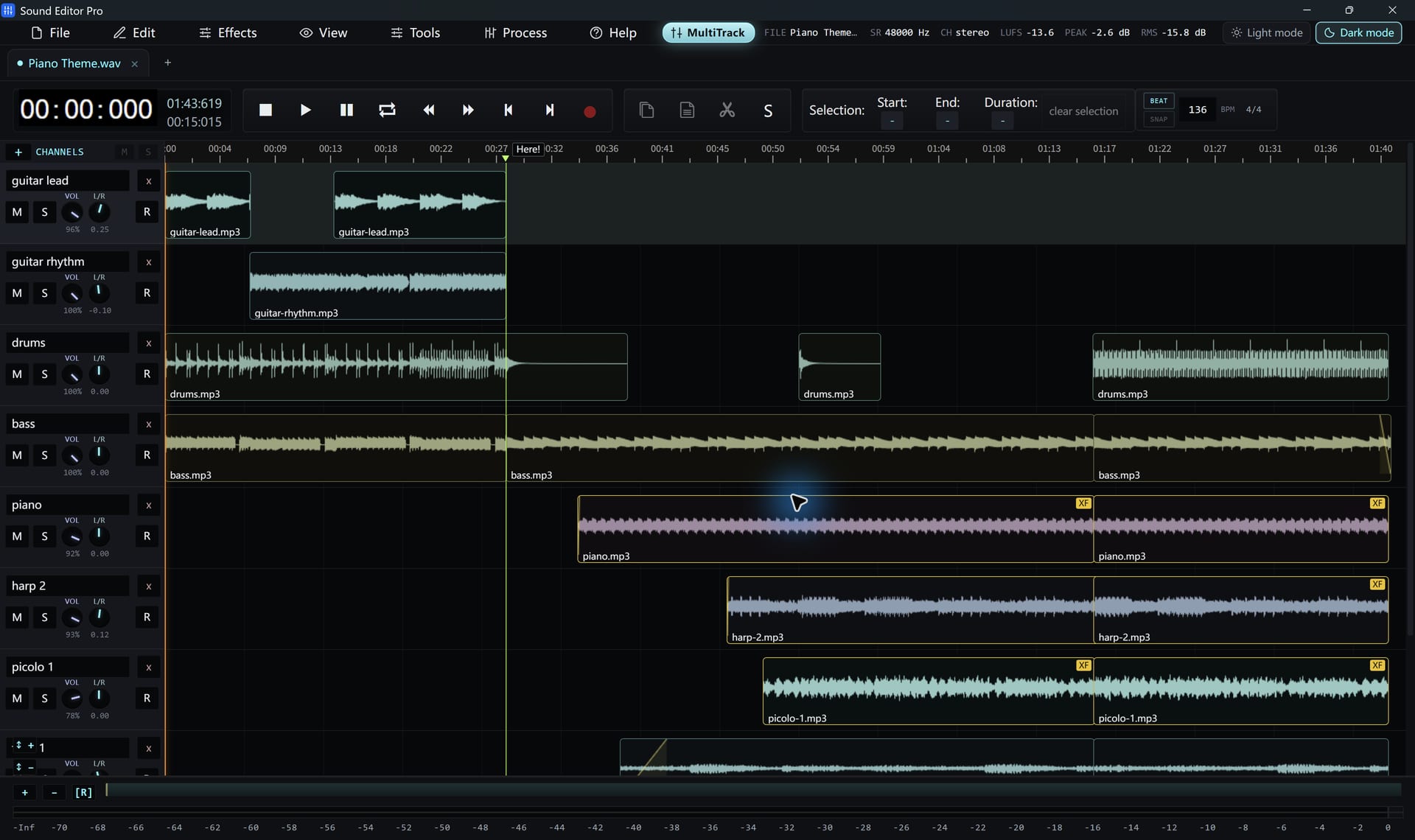
Build A Mix, Not Just An Edit
Arrange voice, music and effects on separate tracks. Set volume and pan, mute or solo, crossfade overlapping clips and snap to beats. Export a single mixdown when it is right.
- Clips on independent tracks
- Volume, pan, mute and solo
- Fades, crossfades and beat snapping
- Save the session as a project
Everything Else You Expect From A Pro Editor
Pick an area to see it in the actual application.
Precise Waveform Editing
Precise selections with typed start and end times, zero-crossing snap, paste crossfades, clip-gain and fade envelopes, A/B snapshots and a full history.
Read the guide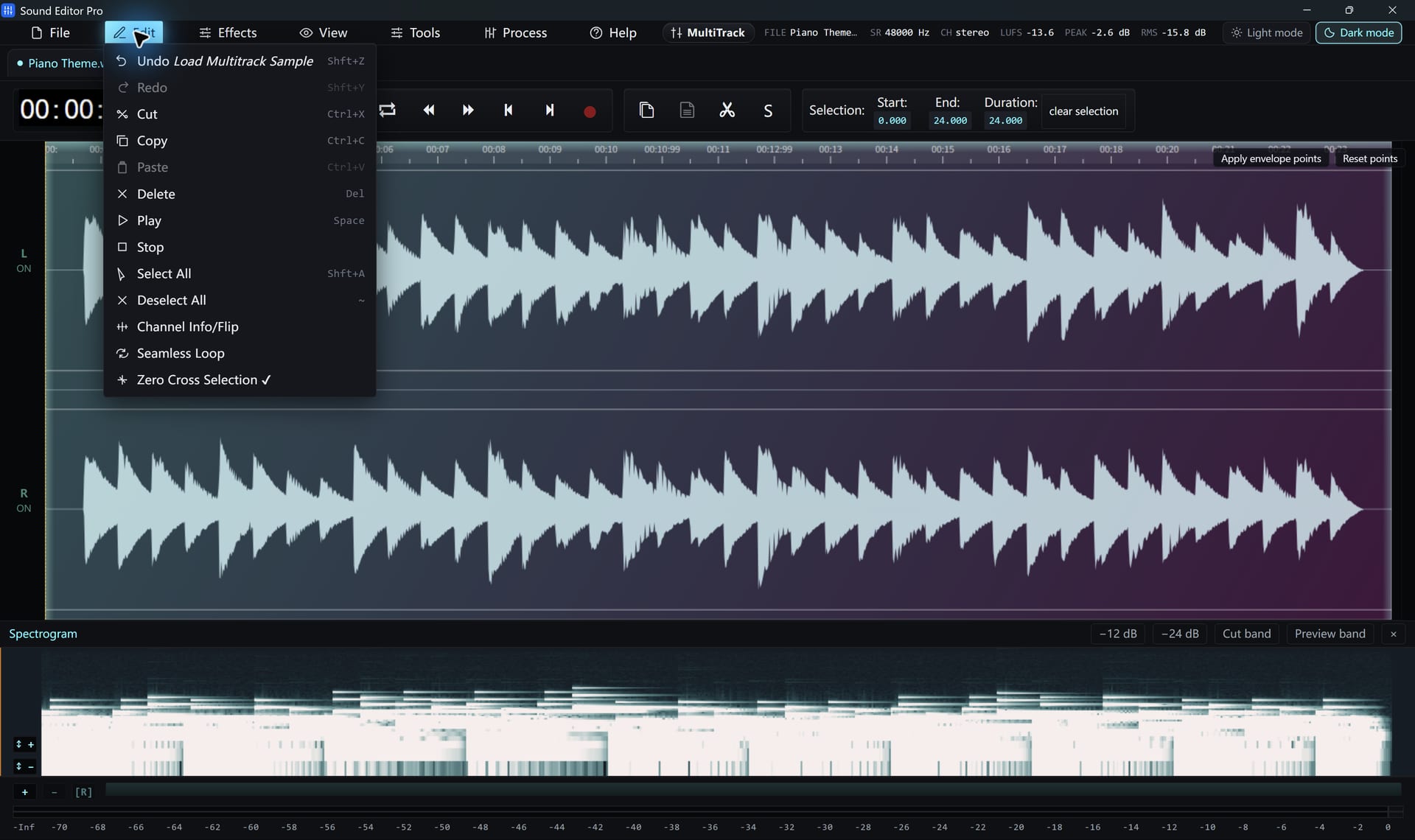
Shape Tone With Movable Bands
A paragraphic EQ with draggable filter points, plus 10- and 20-band graphic EQ, compressor, limiter, normalize and LUFS loudness matching.
Read the guide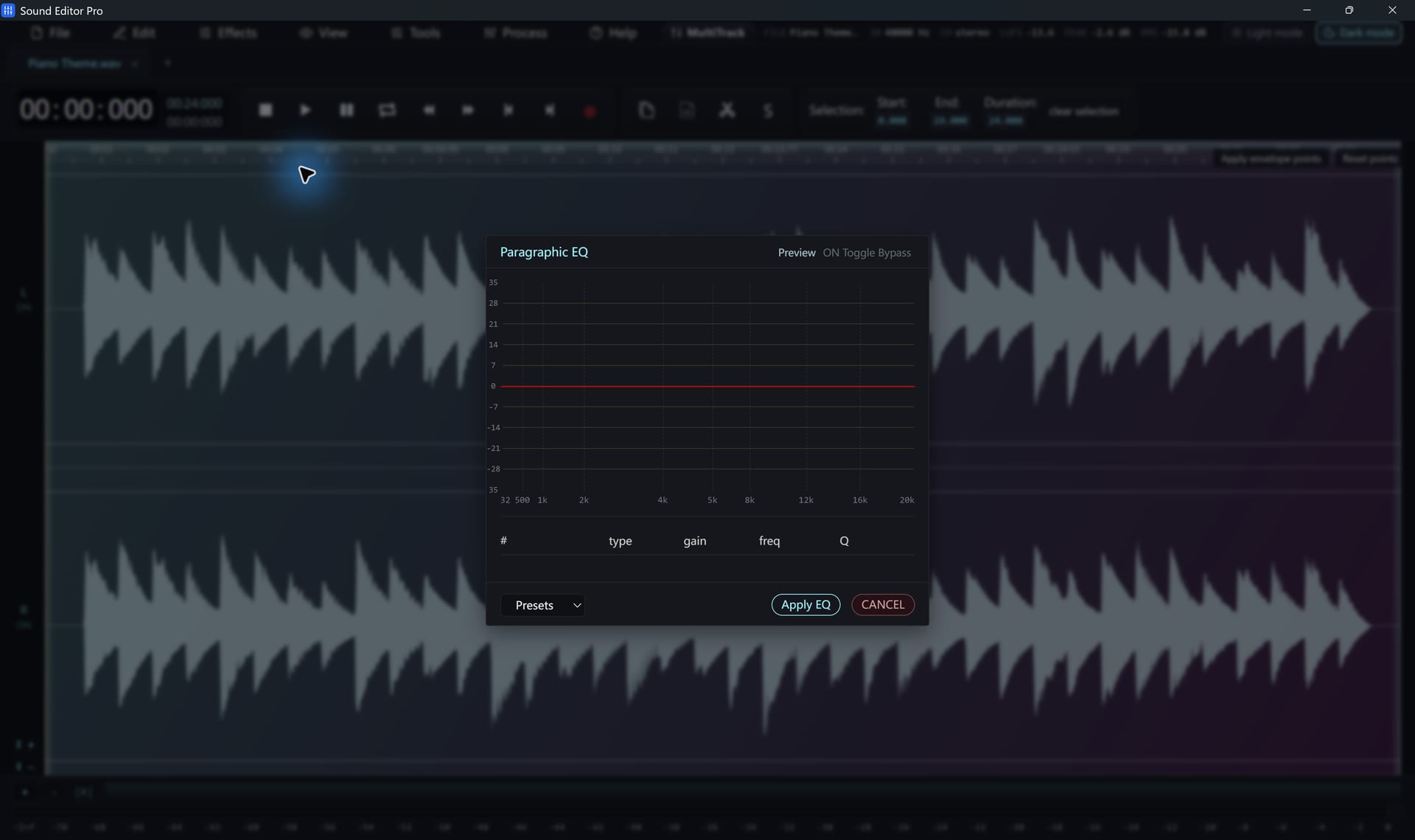
Microphone And System Sound
Record any input or the sound your PC plays (WASAPI loopback), mixed together or split left/right. Punch-in recording replaces a passage with pre-roll.
Read the guide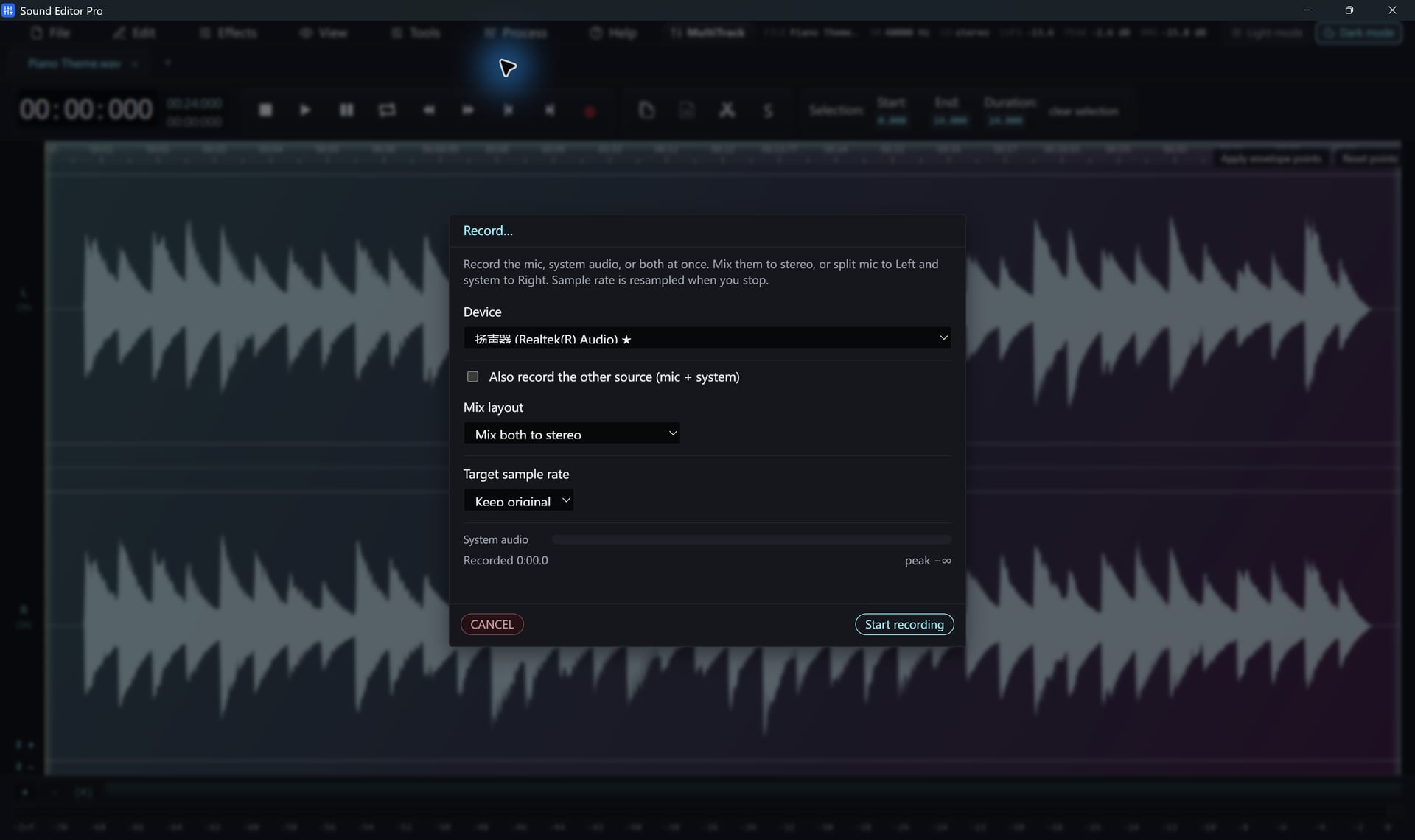
Broadcast-Ready Voice In One Pass
Gate, voice EQ, compression, de-essing, de-breathing and loudness normalization in a single chain. Turn stages on or off to suit the voice.
Read the guide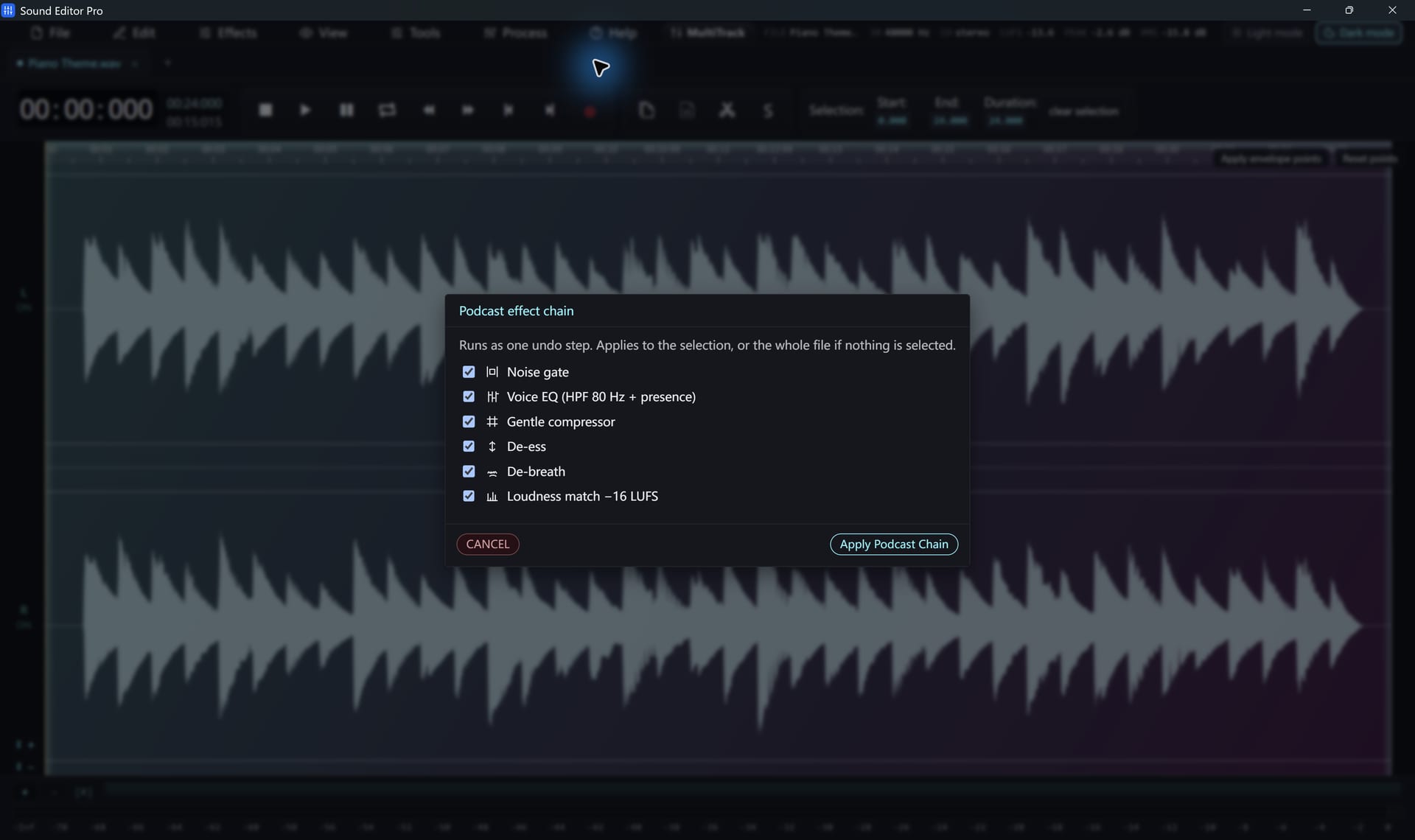
Convert Whole Folders
Queue files or folders, choose format, rate, channels and bitrate once, and convert everything with per-file progress. Delivery presets included.
Read the guide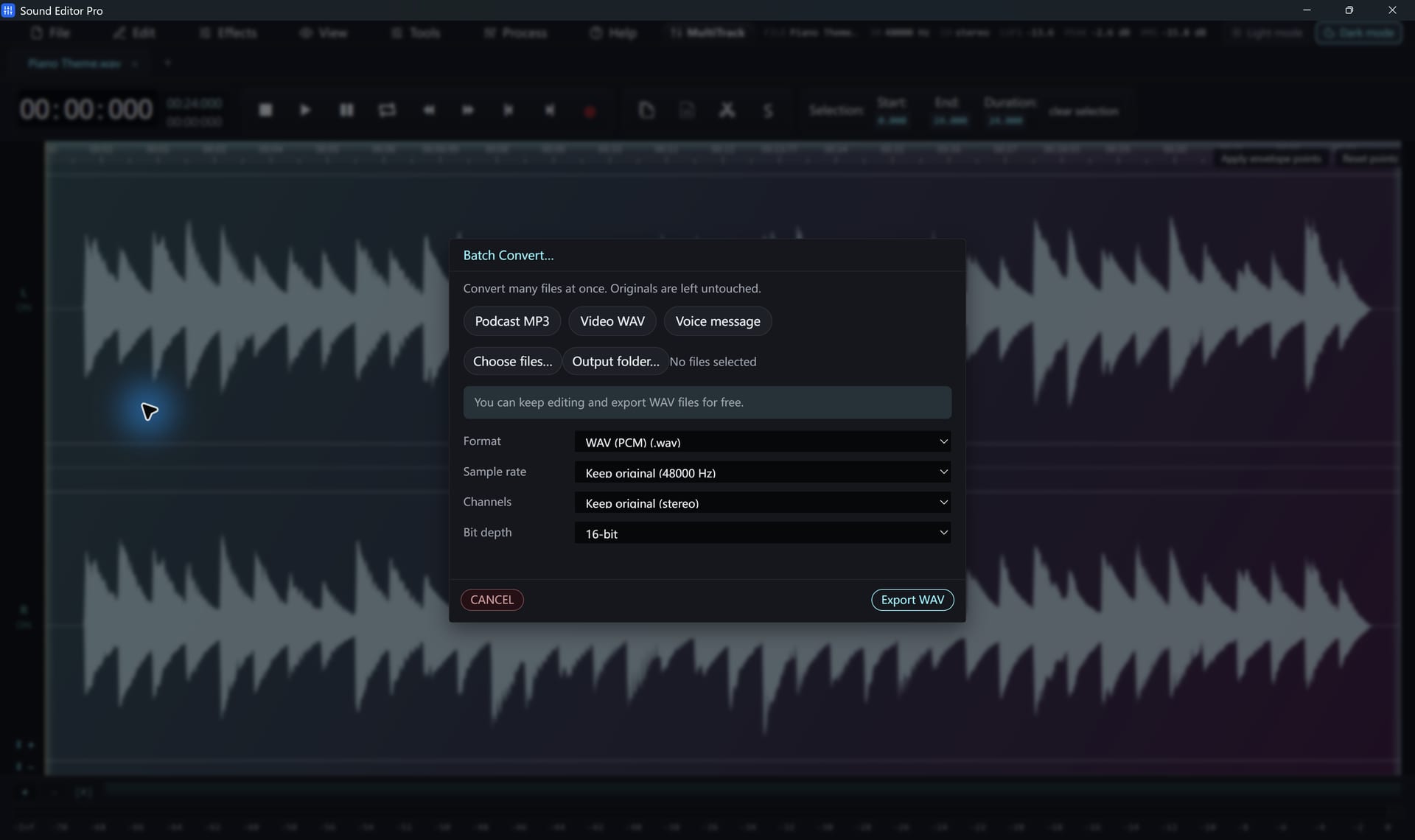
Bring In Reference Audio
Paste a YouTube link and the audio opens as a waveform, ready to edit. The download module can be updated from the Help menu.
Read the guide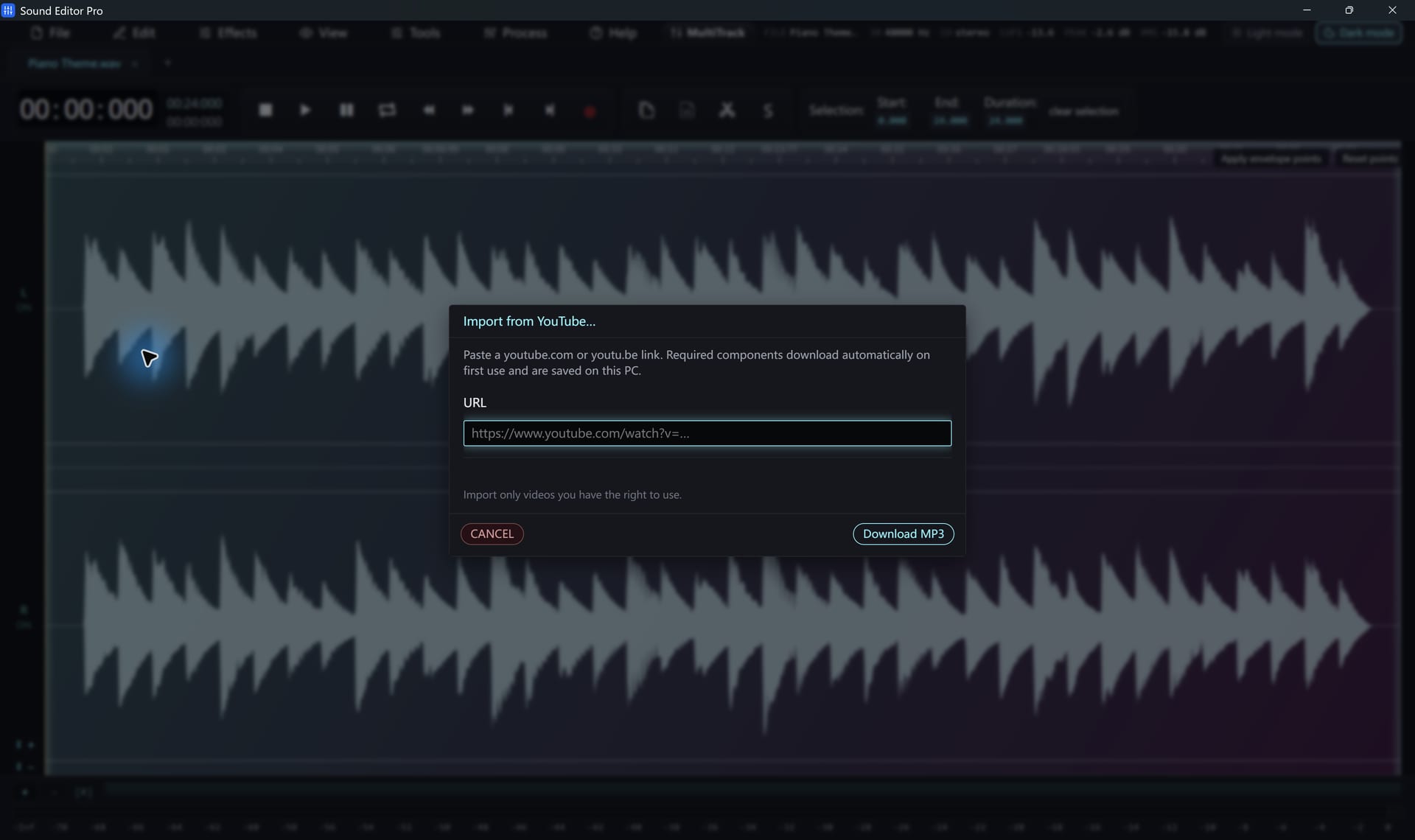
Made For Real Audio Jobs
Each use case links to a step-by-step guide in the Help Center.
Vinyl to digital
Record LPs and remove clicks and rumble.
Read guideCassette transfers
Digitize tapes and lectures, cut into tracks.
Read guideLive recordings
Capture concerts, rehearsals and services.
Read guideStreams and calls
Record whatever your PC is playing.
Read guidePodcasts and voice-over
Clean, level and polish spoken word.
Read guideAudio from video
Pull and fix the soundtrack of any clip.
Read guideFree To Edit. Register To Deliver.
Try every tool on your own material first. Pay once only when you need formats beyond WAV.
Free
For editing and WAV masters
- All editing and recording tools
- Repair Studio and spectrogram
- Multitrack mixer and projects
- WAV export up to 192 kHz
Personal
For home and personal projects
- Everything in Free
- MP3, FLAC, AAC/M4A, OGG, Opus and more
- Delivery presets and batch export
- One year of free upgrades
Business
For commercial use
- Everything in Personal
- Licensed for business use
- Priority email support
- Site licenses available
90-day money-back guarantee. Registration details arrive by email right after payment.
Download Sound Editor Pro
The same installer for the free and registered editions. A key unlocks extra formats instantly.
- No time limit
- WAV export included
- Upgrade without reinstalling
System requirements
- Windows 11, or 64-bit Windows 10 version 2004 (build 19041) or later
- Microsoft Edge WebView2 Runtime (Setup checks for it and links to Microsoft if missing)
- .NET runtime included in the installer
- Sound card, microphone or line input for recording
- Internet only for YouTube import, first-use helper components and update checks
Answers From The Help Center
Detailed guides written for this version
What can I do without registering?
Everything except non-WAV export. Recording, editing, Repair Studio, spectral editing, effects, multitrack mixing, projects and WAV export all work without a key. Registration unlocks MP3, FLAC, AAC/M4A, OGG, Opus and the other delivery formats.
How much does a license cost?
A Personal license is $29.95 and a Business license is $49.95. Both unlock the same features; Business adds priority support and covers commercial use. A site license is available for organizations.
Is there a time limit on the free edition?
No. The free edition does not expire. You can edit and save WAV files for as long as you like and register only when you need other export formats.
Can it restore old vinyl and cassette recordings?
Yes. Record the turntable or deck through your sound card, then use De-click, De-hum, Noise Reduction and the spectrogram to clean the transfer. Split by Silence cuts a full side into separate tracks.
Does Sound Editor Pro support VST plugins or MIDI?
No. It is a dedicated audio editor with built-in processing. It does not host VST plugins, sequence MIDI or edit video.
Which Windows versions are supported?
Windows 11 and 64-bit Windows 10 version 2004 (build 19041) or later. Microsoft Edge WebView2 Runtime is required. There is no macOS or Linux version.
Start Editing In Two Minutes
Install Sound Editor Pro, open a file and hear what Repair Studio can do. Free to edit and save WAV.
Free to edit and save WAV · Windows 11 & 10 (64-bit)