Home › Help Center › Converting sample rate and channels
Converting sample rate and channels
Resampling and channel conversion happen when you export or batch convert.
Free to edit and save WAV · Windows 11 & 10 (64-bit)
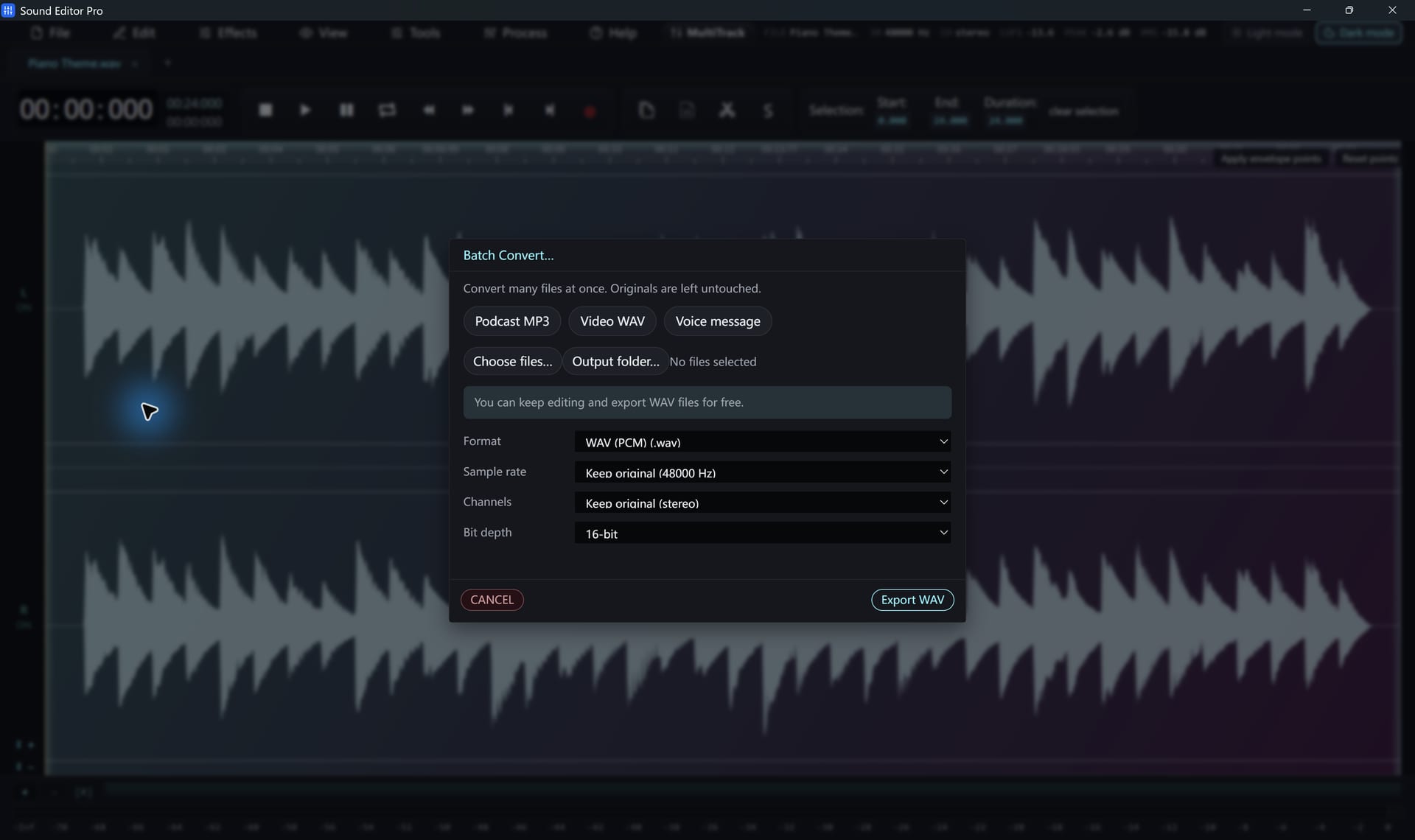
Sample rate
In Convert / Export or the batch converter choose Keep source or a rate: 8000, 11025, 12000, 16000, 22050, 24000, 32000, 44100, 48000, 88200, 96000, 176400 or 192000 Hz.
| Target | Rate |
|---|---|
| CD, music streaming | 44.1 kHz |
| Video | 48 kHz |
| Telephony | 8 kHz |
| Speech recognition | 16 kHz |
| Archive | 96 kHz |
Raising the sample rate does not add detail that was not recorded.
Channels
- Export as mono, stereo or keep the source.
- For control over which channel becomes mono, use Channel Info first. See Working with channels.
Common questions
Will converting to a higher sample rate improve quality?
No. Upsampling cannot add detail that was never recorded. Convert up only when another program or a video project requires it.
Which rate do video projects need?
Most video editors expect 48 kHz. The Video WAV 48 kHz preset sets this for you.
Hear The Difference On Your Own Material
Download Sound Editor Pro, edit without limits and save WAV for free. Register when you need MP3, FLAC or AAC.
Download Sound Editor ProFree to edit and save WAV · Windows 11 & 10 (64-bit)