Home › Help Center › Noise reduction and repair
Noise reduction and repair
Repair Studio analyzes a selection, marks the problems it finds and lets you compare original and processed audio before committing.
Free to edit and save WAV · Windows 11 & 10 (64-bit)
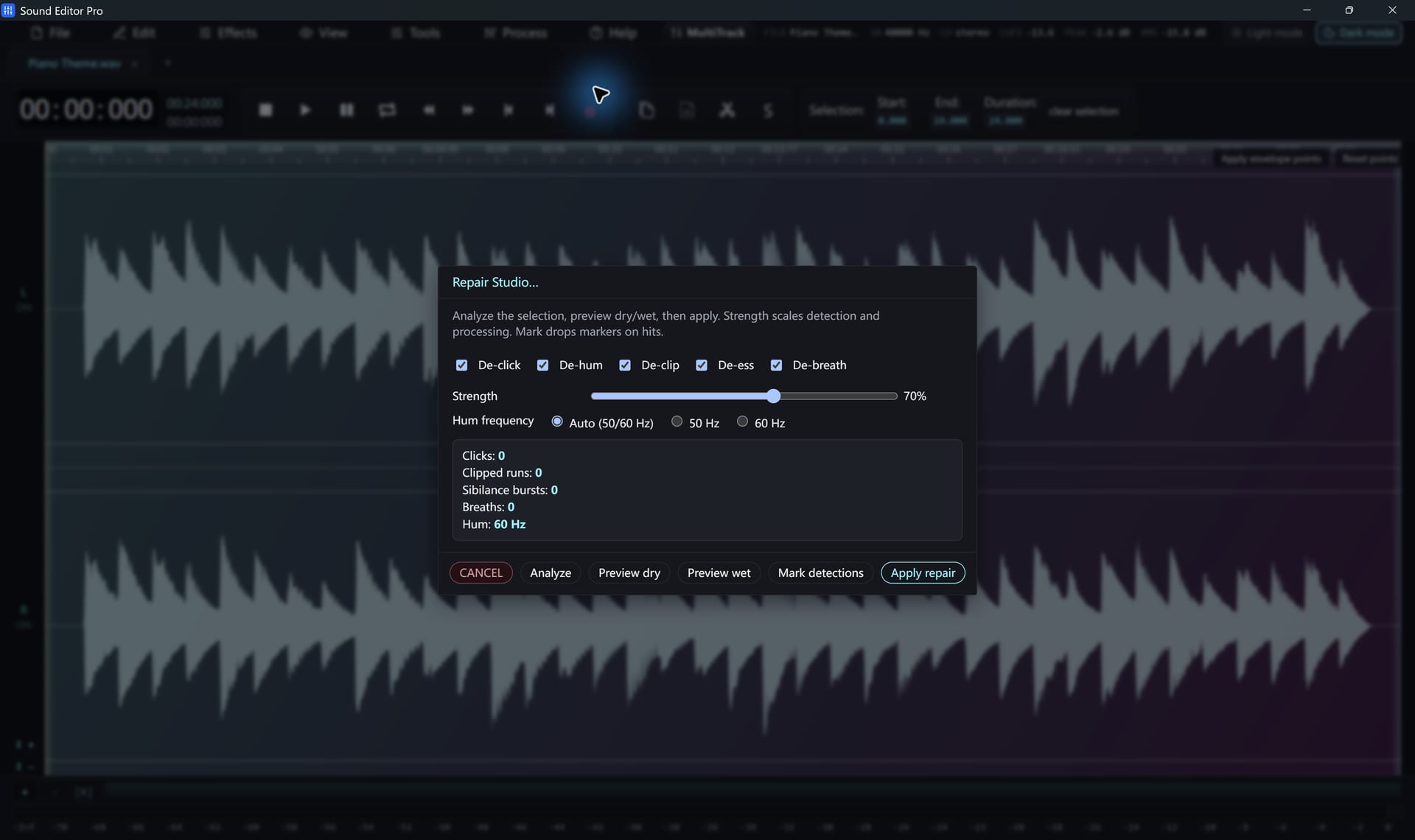
Repair Studio modules
| Module | Fixes | Tip |
|---|---|---|
| De-click | Vinyl ticks, digital clicks, mouth clicks | Start low; high settings can soften transients |
| De-hum | Mains hum and harmonics | Auto, or 50 Hz (Europe/Asia) / 60 Hz (Americas) |
| De-clip | Flattened peaks | Partial recovery only for heavy clipping |
| De-ess | Harsh S and SH | Apply after EQ |
| De-breath | Loud breaths between phrases | Reduce, do not remove, for natural speech |
Workflow
- Select the region, or the whole file.
- Open Repair Studio and click Analyze. Findings are listed and marked.
- Enable modules and set strength.
- Toggle Dry/Wet to compare.
- Apply. Each module can also be run alone from the Process menu.
Broadband noise
Noise Reduction (Voice) uses RNNoise to suppress steady background noise under speech. For noise only between phrases, the Noise Gate is more transparent.
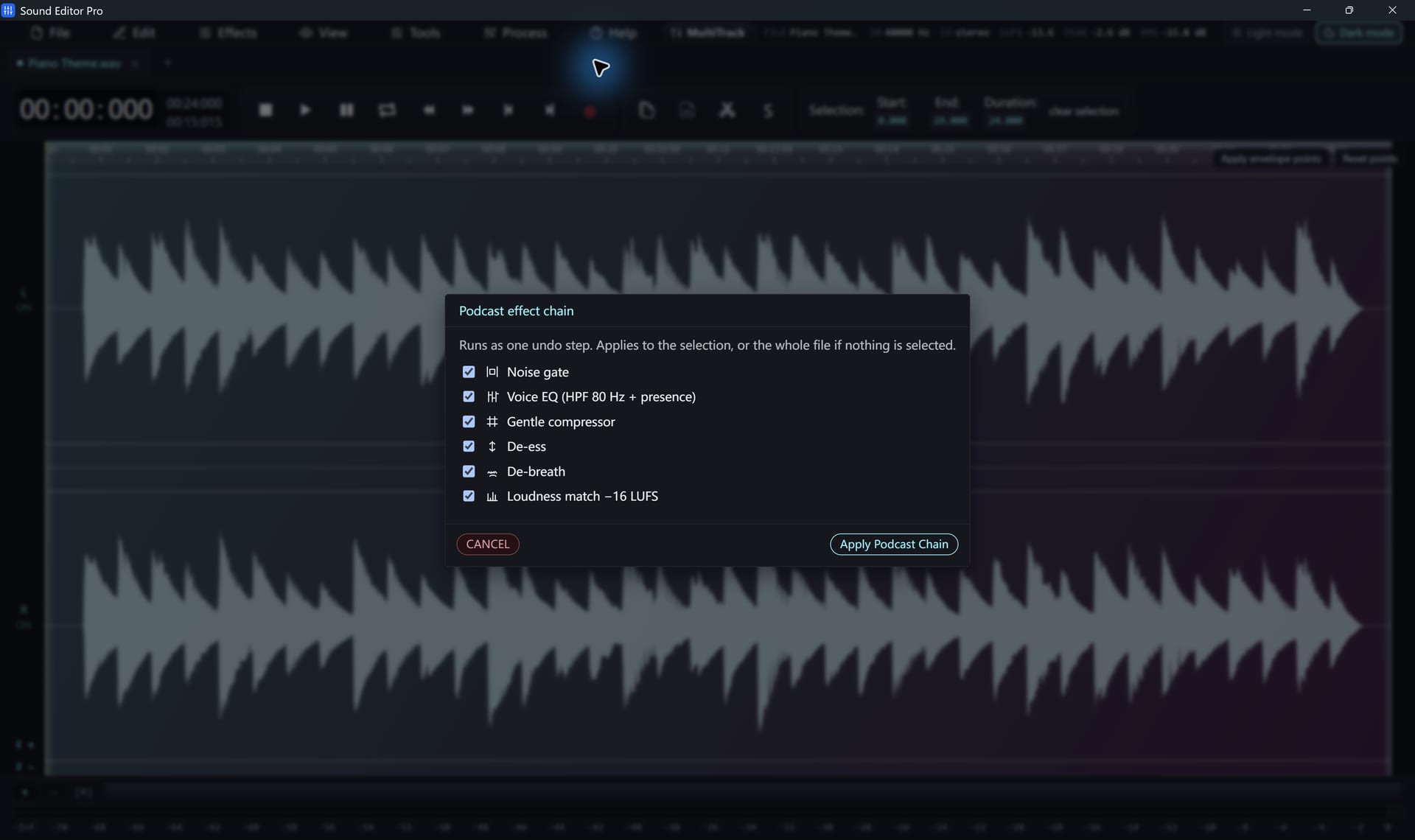
Podcast chain
A complete voice-processing chain in one dialog. Enable only the stages you need.
Isolated noises
Coughs, chair squeaks and phone rings are best removed in the Spectrogram editing.
No tool can perfectly restore missing or severely clipped audio, and strong processing can affect wanted sound. Keep the original file.
Hear The Difference On Your Own Material
Download Sound Editor Pro, edit without limits and save WAV for free. Register when you need MP3, FLAC or AAC.
Download Sound Editor ProFree to edit and save WAV · Windows 11 & 10 (64-bit)