Home › Features
Features
A complete reference of what Sound Editor Pro 8.1 can do, grouped by task. Every item below is in the current build.
Free to edit and save WAV · Windows 11 & 10 (64-bit)
Editing
- Cut, copy, paste, delete, silence, trim to selection
- Typed start/end times and zero-crossing snap
- Paste and insert with crossfade, mix-paste over existing audio
- Clip-gain and fade envelopes drawn on the waveform
- Seamless loop builder with crossfade preview
- A/B snapshots and a full undo history
- Tabs for several files, concatenate tabs, markers
Recording
- Any input device or the system playback (WASAPI loopback)
- Microphone and system together, mixed or split left/right
- Choose device rate or a fixed sample rate
- Punch-in recording with pre-roll, replace or overdub
- Level meter with peak indicator
Restoration
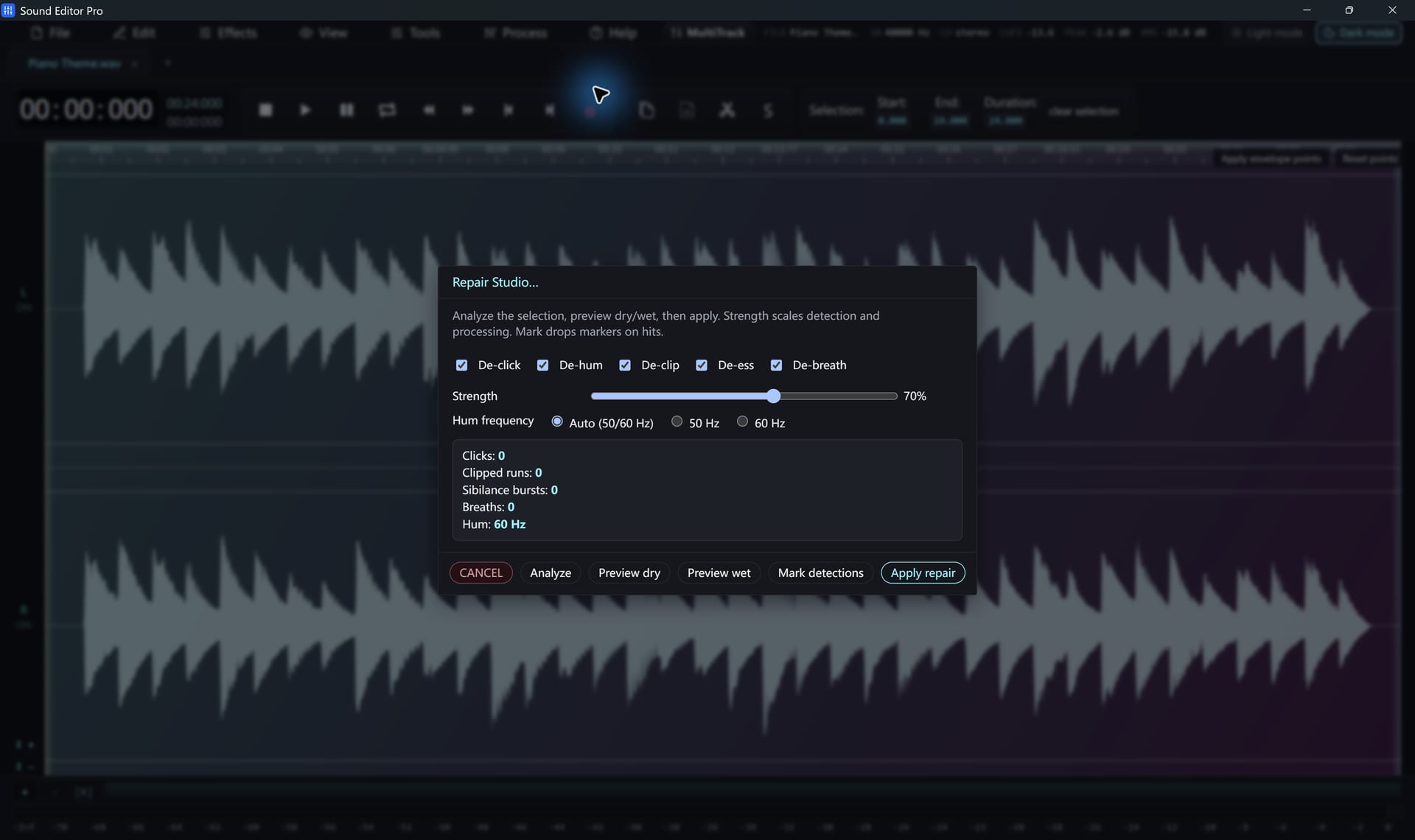
- Repair Studio: De-click, De-hum, De-clip, De-ess, De-breath
- Automatic analysis with dry/wet comparison
- Noise Reduction (Voice) based on RNNoise
- Noise gate
- Remove silence
Analysis and spectral editing
- Spectrogram with time-and-frequency box selection
- Attenuate −12 dB, −24 dB or cut the selection
- Frequency analysis
- Tempo and BPM detection
Effects and mastering
- Paragraphic EQ and 10/20-band graphic EQ
- Compressor, hard limiter, normalize
- LUFS loudness normalization and Podcast chain
- Reverb, delay, distortion
- Speed / playback rate, speed up / slow down
- Reverse, invert, fade in/out; custom presets
Multitrack and tools
- Multitrack mixer with volume, pan, mute, solo
- Fades, crossfades, beat markers and snapping
- Split by Silence and slice at markers
- Tone generator
- .wsmith projects, drafts and auto-backup
Formats and conversion
- Opens WAV, MP3, FLAC, M4A/AAC, OGG, Opus, AIFF, WMA and many more
- Extracts audio from MP4, MKV, MOV, AVI, WebM and other video
- Export up to 192 kHz; 8, 16, 24, 32-bit and 32/64-bit float
- Batch converter with delivery presets
- ID3 tag editor for MP3
- WAV free; other formats with registration
Import and interface
- YouTube audio import, one video at a time
- Updatable download module from the Help menu
- Command palette (Ctrl+K) and shortcut sheet (F1)
- Light and dark themes
- Ten interface languages
Free edition and registered edition
| Free | Registered | |
|---|---|---|
| Recording, editing, effects, repair, spectrogram, multitrack | Yes | Yes |
| Projects, drafts, auto-backup | Yes | Yes |
| WAV export (up to 192 kHz, 64-bit float) | Yes | Yes |
| MP3, FLAC, AAC/M4A, OGG, Opus and other formats | — | Yes |
| Delivery presets in Convert and Batch | WAV only | Yes |
The registered edition is the same program with a registration code entered. Compare editions and prices.
What it is not
Sound Editor Pro is a dedicated audio editor. It does not host VST plugins, sequence MIDI, edit video pictures, separate vocals from music or run on macOS and Linux.
Hear The Difference On Your Own Material
Download Sound Editor Pro, edit without limits and save WAV for free. Register when you need MP3, FLAC or AAC.
Download Sound Editor ProFree to edit and save WAV · Windows 11 & 10 (64-bit)