Home › Help Center › Multitrack mixing
Multitrack mixing
Switch to the Multitrack Mixer to layer voice, music and effects on independent tracks.
Free to edit and save WAV · Windows 11 & 10 (64-bit)
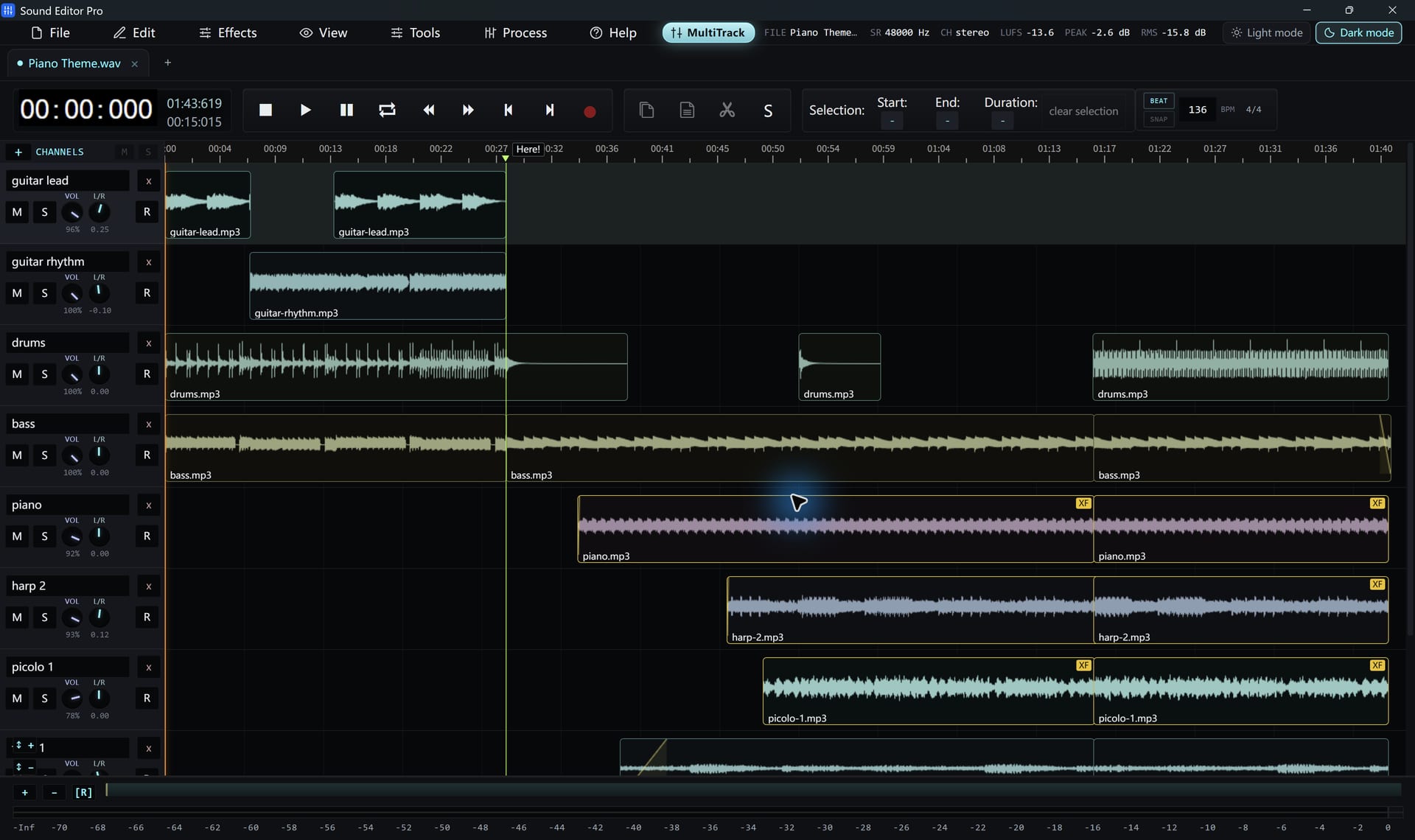
Tracks
| Control | Use |
|---|---|
| Volume | Track level |
| Pan | Left/right position |
| Mute / Solo | Silence a track, or hear only one |
| Record arm | Record onto the track |
| Name / delete | Organize the session |
Clips
- Drag to move; drag edges to trim.
- Right-click to rename, duplicate, copy, split or delete.
- Open a clip in the waveform editor for detailed work.
- Apply fade-in, fade-out and crossfades where clips overlap.
- Turn on beat markers and snapping, with BPM and time signature, for music.
Mixdown
Play the arrangement, then export the mix through Convert / Export. Save the session in a .wsmith project to continue later.
Voice-over balance
Background music typically sits 15–20 dB below speech. Use LUFS loudness on the mixdown for consistent delivery.
The mixer is built for audio arrangement. It does not host VST plugins, MIDI or video tracks.
Hear The Difference On Your Own Material
Download Sound Editor Pro, edit without limits and save WAV for free. Register when you need MP3, FLAC or AAC.
Download Sound Editor ProFree to edit and save WAV · Windows 11 & 10 (64-bit)