Home › Help Center › YouTube audio import
YouTube audio import
File › YouTube to MP3 imports one video’s audio and opens it in the editor.
Free to edit and save WAV · Windows 11 & 10 (64-bit)
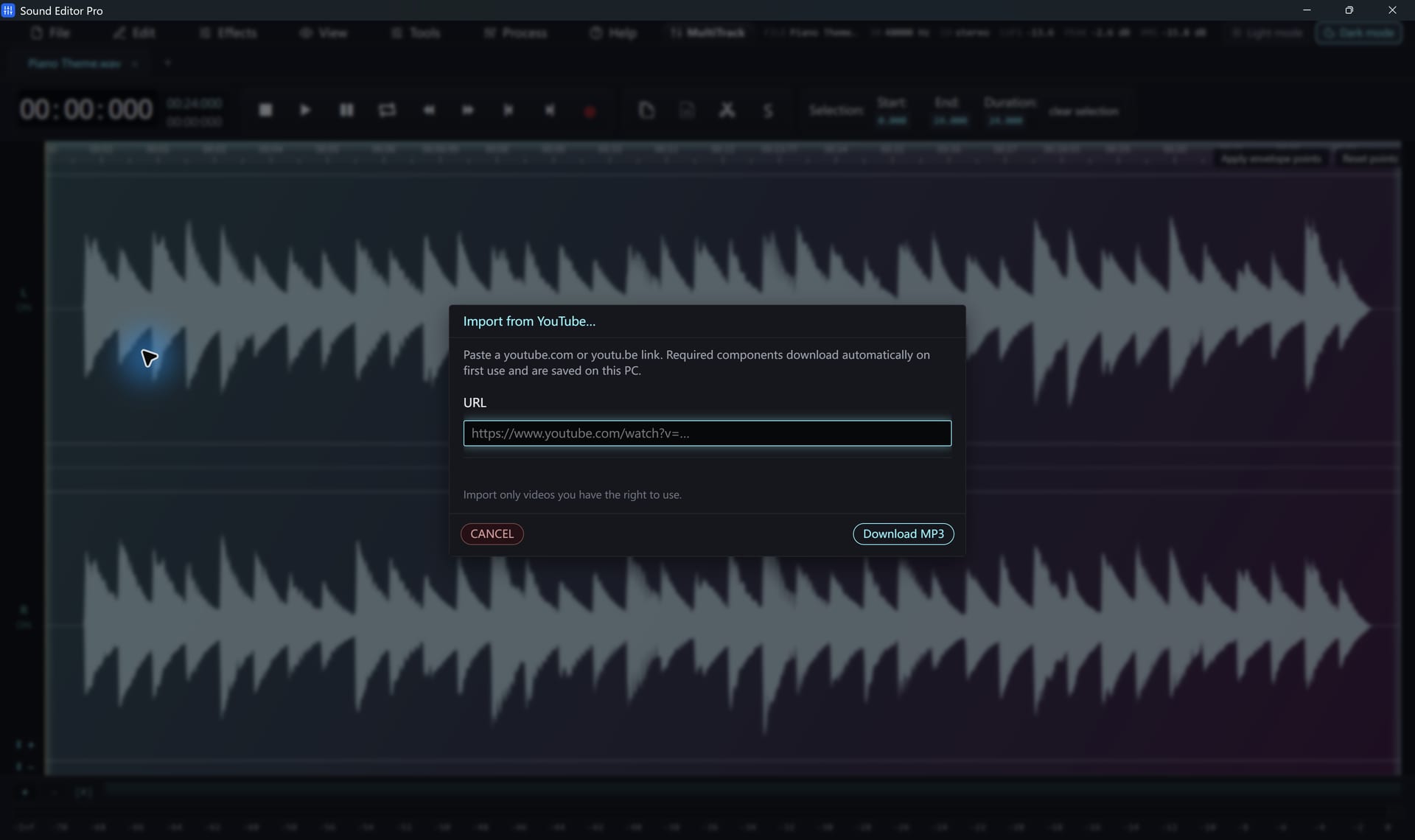
- Choose File › YouTube to MP3.
- Paste a watch, Shorts or share link.
- Start. On first use, the required components are downloaded and verified.
- The audio opens as a waveform.
Limitations
- One video at a time; playlists are not imported.
- No video resolution selection; audio only.
- Private, age-restricted or region-restricted videos can fail.
- No browser cookies or logins are used.
When an import fails
Choose Help › Update YouTube download module. It shows installed and latest versions and installs updates after verifying them. The failed link is kept so you can retry.
Only import content you have the right to use and respect YouTube’s terms of service.
Common questions
Can I import a whole playlist?
No. The importer takes one video at a time.
An import failed. What should I try?
Use Help › Update YouTube download module and retry; the failed link is kept. Private, age-restricted or region-locked videos can still fail.
Hear The Difference On Your Own Material
Download Sound Editor Pro, edit without limits and save WAV for free. Register when you need MP3, FLAC or AAC.
Download Sound Editor ProFree to edit and save WAV · Windows 11 & 10 (64-bit)