Home › Help Center › Recording streaming audio
Recording streaming audio
WASAPI loopback records exactly what Windows sends to your speakers, digitally, without cables or quality loss.
Free to edit and save WAV · Windows 11 & 10 (64-bit)
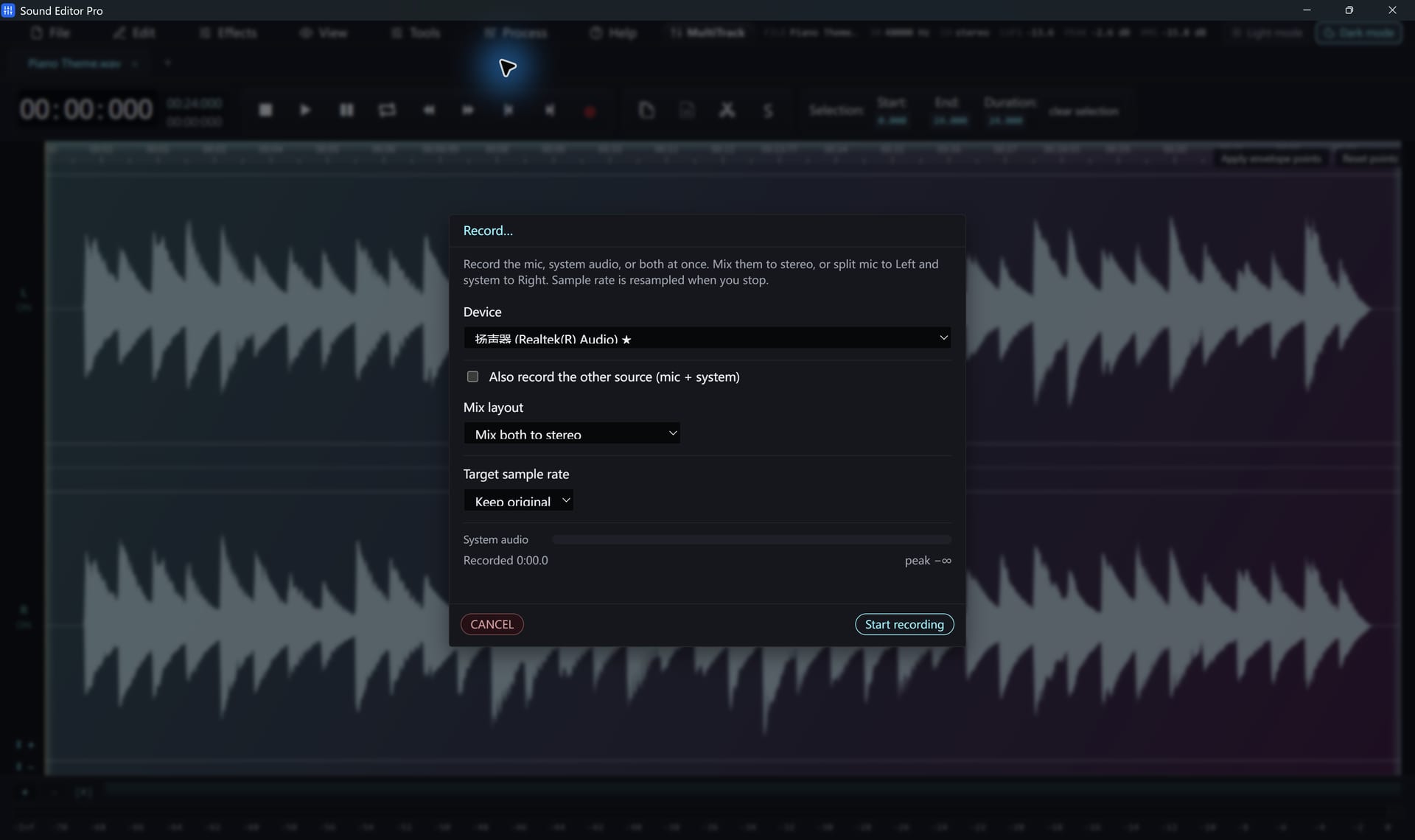
- Start the stream in your browser or player.
- In Tools › Record, choose your speakers or headphones as the playback device.
- Set the player volume to 100% and control loudness later, so the capture has full resolution.
- Click Start, and Stop when the broadcast ends.
- Trim the start and end, then use Split by silence if the stream contains several items.
Avoiding unwanted sounds
- Loopback captures all system sound. Turn on Do Not Disturb and close other media.
- Keep the PC awake for long shows.
- If the playback device changes, for example Bluetooth headphones connecting, select the new device.
Adding your voice
Enable the additional source to record your microphone with the stream, for commentary or a call. Split L/R keeps the two apart.
Record only content you have the right to record and respect each service’s terms.
Hear The Difference On Your Own Material
Download Sound Editor Pro, edit without limits and save WAV for free. Register when you need MP3, FLAC or AAC.
Download Sound Editor ProFree to edit and save WAV · Windows 11 & 10 (64-bit)